 Riff Locker
Never lose a riff again.
Riff Locker is a musician's sketchbook for iPhone. Tap once to capture, or let Whisper Mode listen while you play and record the moments you'd have forgotten. Organize ideas into songs, find the key and tempo, and export clean files straight into Logic Pro or GarageBand.
Built for the moment
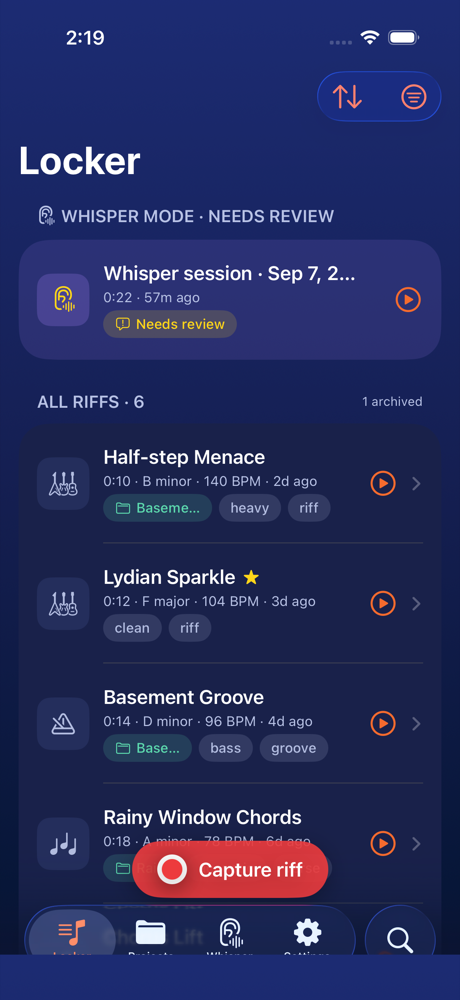
Capture first. Sort later. Or never.
Voice memos are generic and DAWs are too heavy to keep open while you noodle. Riff Locker sits in between: instant capture with musical metadata, and a locker that's actually easy to search.
One-tap capture
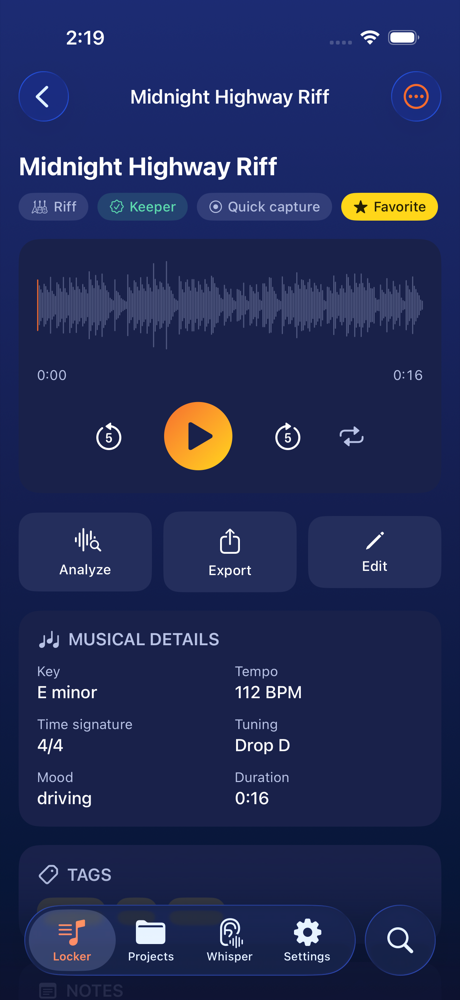
The red button starts recording immediately. Add a title, idea type, tags, key and tempo afterwards, in the moment or never. Lossless WAV by default.
A locker you can search
Sort and filter by type, tags, key, tuning, tempo, project or status. Favorite, archive, duplicate. Full-text search across titles, notes and tags.
Songs, not just clips
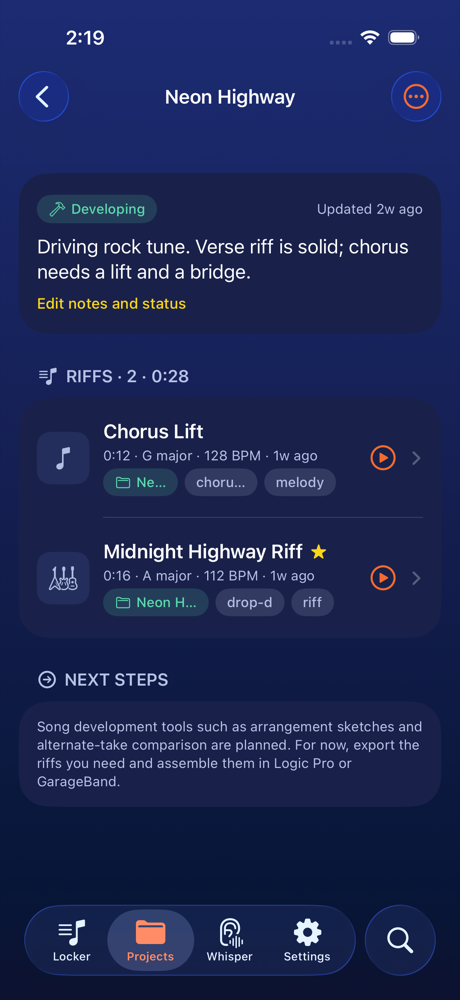
Group riffs into projects with notes and a status from idea to demo. Capture straight into a project or attach ideas later.
Signature feature
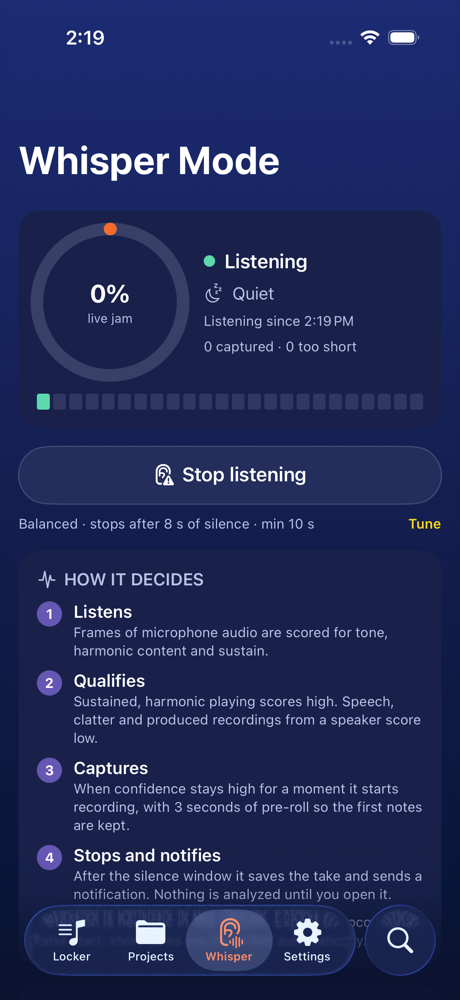
Whisper Mode listens for the jam.
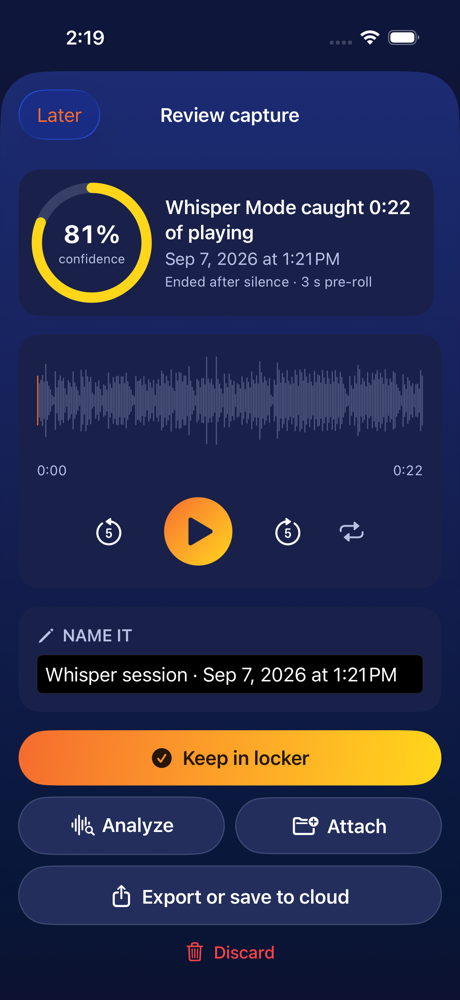
Turn it on and play. Riff Locker scores what it hears for tone, harmonic content and sustain. When it decides you're playing live, not talking and not streaming a record through a speaker, it records automatically, keeps three seconds of pre-roll so the first notes aren't lost, and stops after you go quiet.
- Notification when it catches something. Tap to listen, name it, keep it, attach it to a song, export it or throw it away.
- Sensitivity you control. Conservative, balanced or eager, plus how long a pause ends a take.
- Honest by design. Detection is on-device and heuristic. Short false starts are discarded automatically; you always review before anything counts.
Riff analytics
Know what you played.
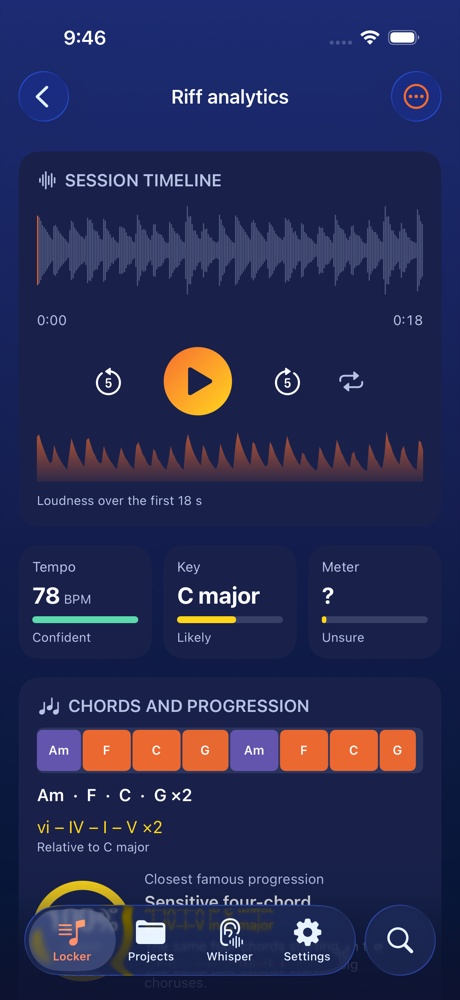
Every riff gets a musician's dashboard: waveform timeline, loudness, estimated tempo, key and meter with plain-language confidence, the chords you played and the famous progression they are closest to, a genre feel, a pitch map, the notes you leaned on, and how closely the idea resembles other riffs in your locker.
- Chords in Roman numerals. The chord timeline reads as I–V–vi–IV or i–♭VI–♭III–♭VII in your key, with a percentage match against well-known shapes from four-chord pop to the Andalusian cadence.
- Apply with one tap. Push the estimates into the riff's details so your library stays searchable by key and BPM.
- Resemblance, not verdicts. The similarity hint compares your own riffs. It never claims to be a copyright opinion.
Into the studio
From the locker to Logic Pro in two taps.
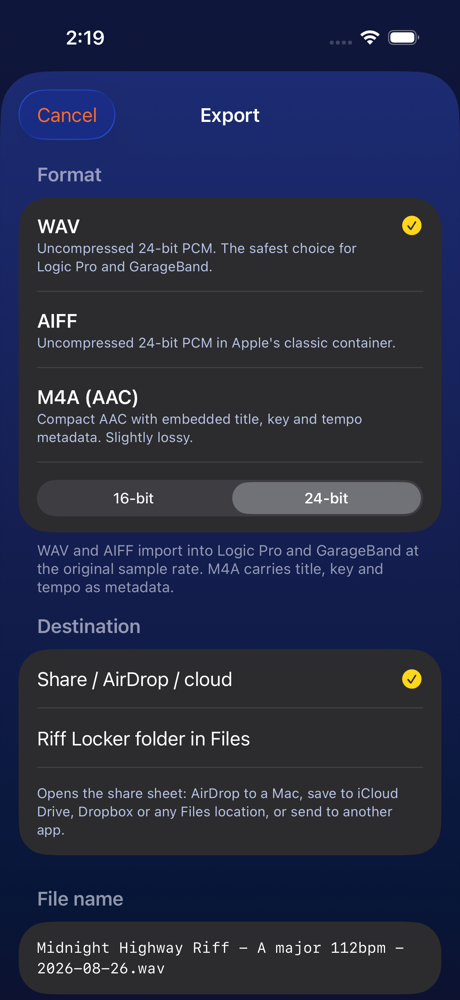
Export 16- or 24-bit WAV, AIFF, or M4A with embedded metadata. File names carry the title, key and tempo, like Midnight Highway - E minor 112bpm - 2026-09-07.wav. AirDrop to your Mac, save to iCloud Drive or Dropbox through Files, or keep a copy in the Riff Locker folder on your phone.
Privacy
Everything stays on your iPhone.
Riff Locker has no account, no server and no analytics. Recordings live in the app's private storage and go only where you export them. Whisper Mode analyzes audio on the device and never writes anything to disk unless it decides to keep a take, which you then review.
bytes of your audio sent anywhere
accounts, logins or trackers
tap to delete any riff, forever
Read the full privacy policy. The short version is the same as the long version.
Coming to the App Store
Be first in the locker.
Riff Locker is in private testing on TestFlight. Spots are limited and every tester signs a short confidentiality agreement, because what you would be testing is not public yet.
- Verify your email. We send a link that proves the address is yours.
- Accept the tester agreement. Read it, tick the boxes, sign by typing your name. You get a copy.
- Get approved. We review applications by hand. If there is a spot, Apple sends the TestFlight invitation.
Requires an iPhone with iOS 18.2 or later and an Apple Account. You must be 18 or older. Read the Beta Tester Agreement and the privacy policy first if you like; both are short.